Microsoft Edge
To clear the cache in Microsoft Edge, follow these steps below to get started.
Clearing Cache in Microsoft Edge
Step 1
Open Microsoft Edge
Step 2
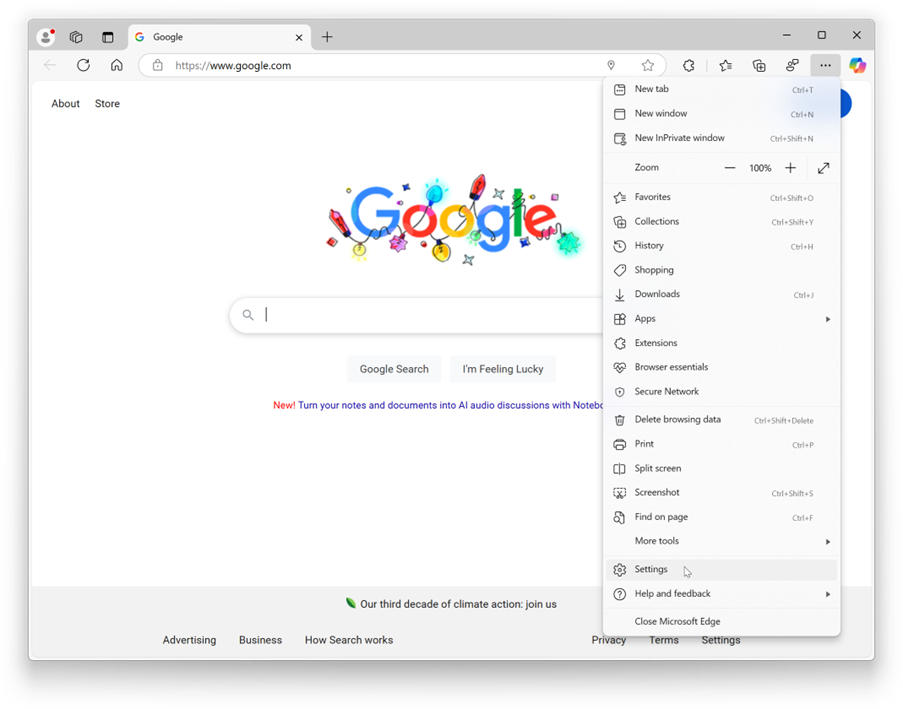
Click the three dots in the upper right corner of the screen
Step 3
Select Settings
Step 4
Click Privacy, search, and services
Step 5
Under the Clear browsing data section, click Choose what to clear
Step 6
Select All time from the drop-down menu for Time range
Step 7
Check the boxes for the types of data you want to clear, such as Browsing history, Cookies, and other site data, and Cached images and files
Step 8
Click Clear now